How AI Image Analysis Works: Six Photos and Real Outputs
By Junaid Aslam. 7 min read. Updated .
AI image analysis sends a resized copy of a photo to a vision model with a fixed prompt. The model writes a description. It does not measure pixels, read EXIF, or reliably count objects. We ran six photos through the live AI Image Analyzer on 2026-11-16 and kept the outputs. Two results failed in ways that show the limits.
The test used Ask mode with an empty question box. That sends the full-analysis prompt: summary, main subjects, other objects, visible text, colors and lighting, composition, photo quality, and suggested alt text. Each photo was resized to a 1200 px long edge and saved as WebP before upload. The outputs below are trimmed to the sections named, and each trim is marked.
The six photos
All six files are CC0 or public domain from Wikimedia Commons. The credits at the end list the author and source for each one.
1. Motion blur
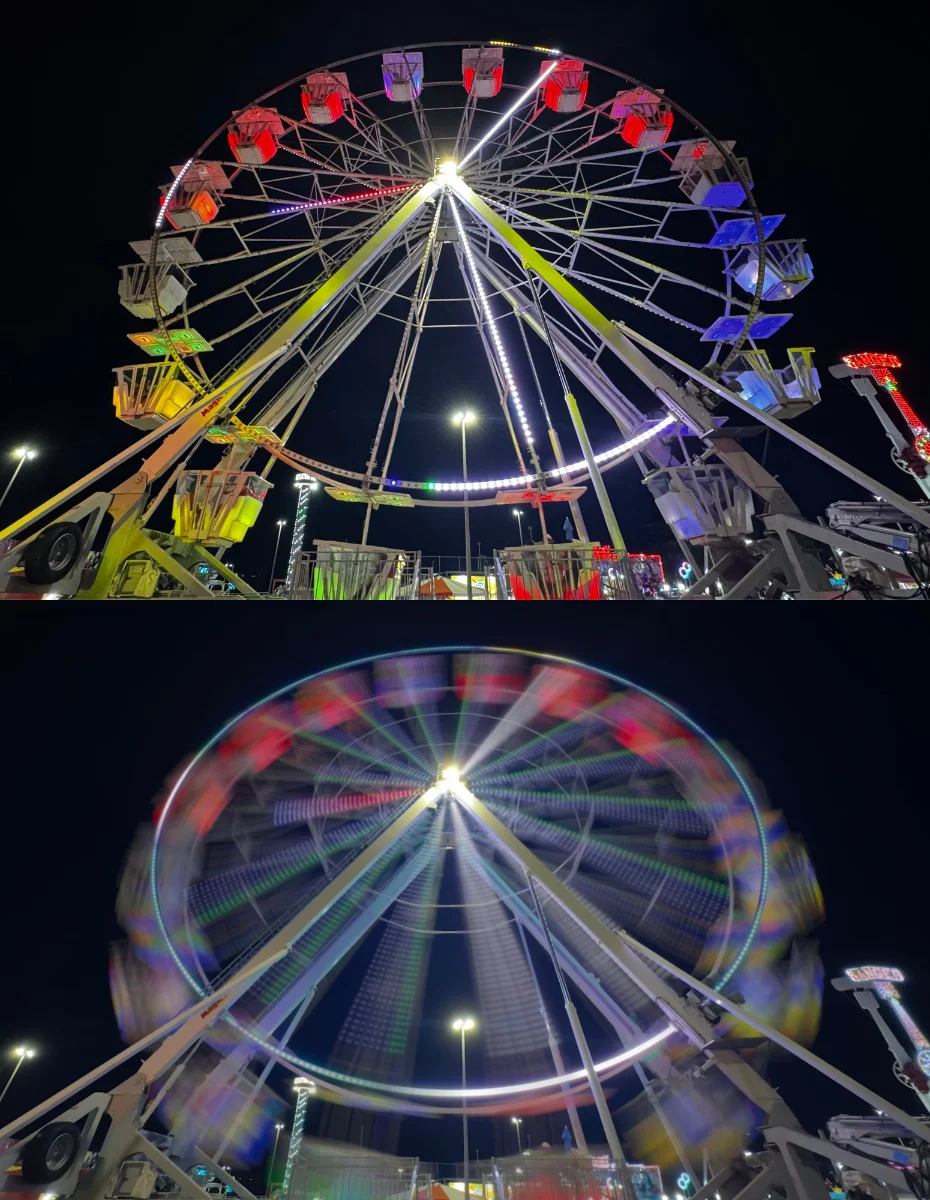
Real output, trimmed to the Summary and Photo quality sections:
## Summary
This image is a composite showing two states of a Ferris wheel at night against a dark sky. The top frame shows the ride stationary, while the bottom frame shows it in motion with a motion-blur effect.

## Photo quality notes
The top image is sharp and clear. The bottom image uses a long exposure technique to create a radial motion-blur effect, representing the movement of the wheel.
The model got the two-frame layout and the long exposure right. It also read the RANGER sign on the right edge, which was unexpected at this size.
A same-settings re-run on 2026-11-16 captured the sections the first trim cut:
## Other objects
In the background, there are tall utility or stadium-style lights against the night sky. To the right, a portion of another carnival ride structure is visible with the word "RANGER" lit up at the top.

## Text visible in the image
"RANGER"
2. Low light
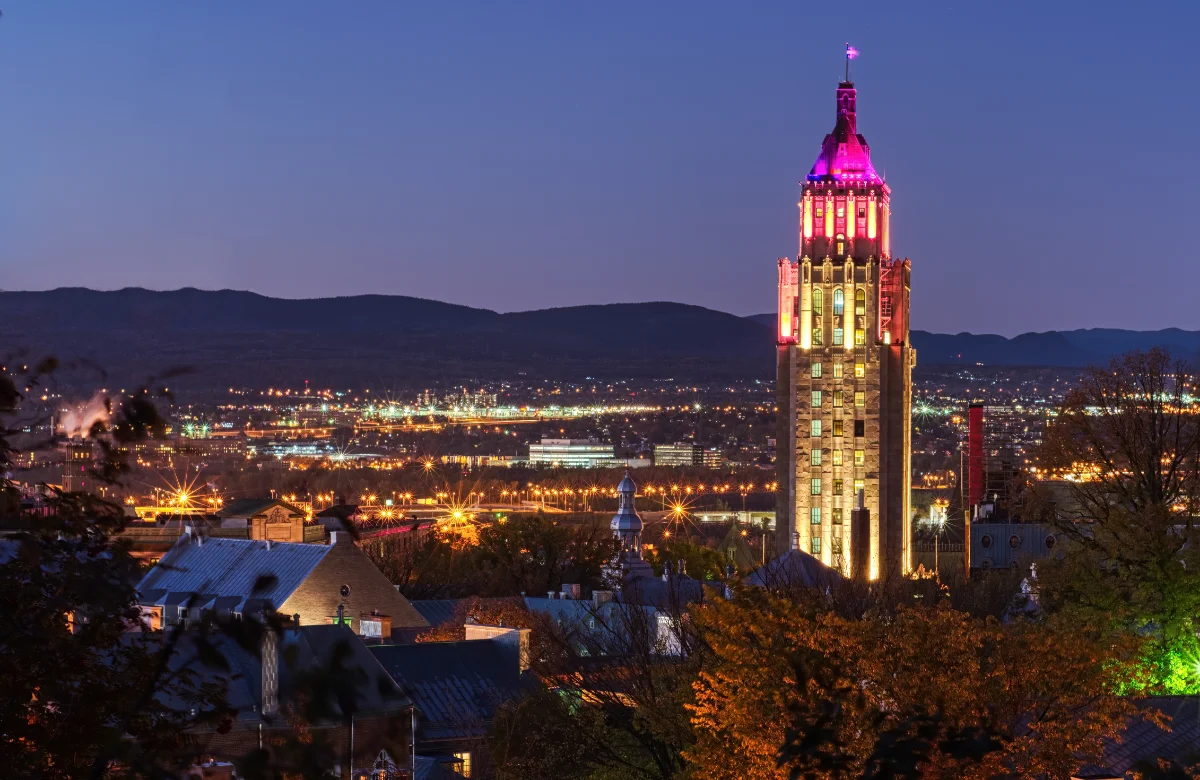
Real output, trimmed to the Summary and Photo quality sections:
## Summary
This image features a tall, illuminated tower rising above a cityscape during twilight. The scene captures an expansive urban view with a mountain range silhouetted against the evening sky in the background.

## Photo quality notes
The photo is clear and sharp, with minimal visible noise despite the low-light conditions. Exposure is well-balanced, effectively capturing the contrast between the dark sky and the glowing city lights.
It found the tower, the ridge, and the city lights. It also called the white plume on the left 'industrial structures emitting steam or smoke'. The plume is real; the model cannot tell a factory from a cloud.
3. Text-heavy sign
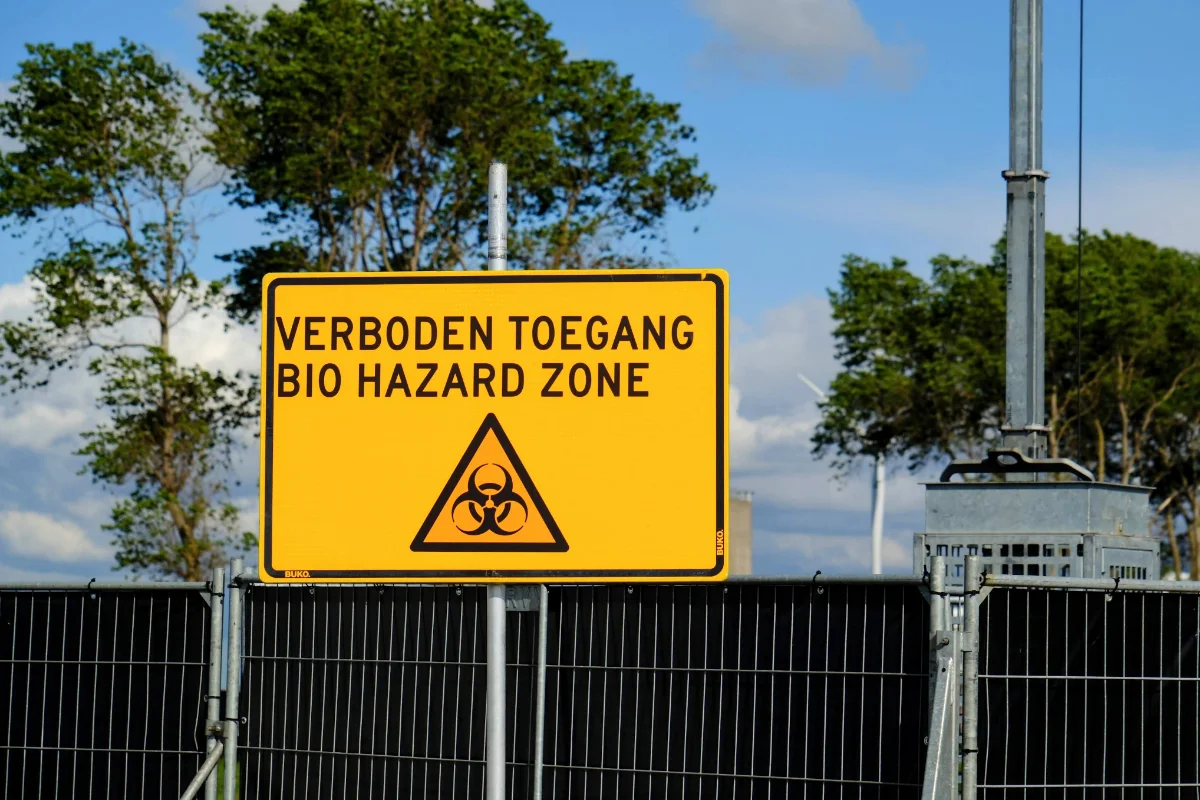
Real output, trimmed to the Text visible and Composition sections:
## Text visible in the image
"VERBODEN TOEGANG
BIO HAZARD ZONE"
"BUKO." (appears twice in the bottom corners)

## Composition
The sign is centered horizontally and occupies the middle portion of the frame. The horizontal lines of the fence create a base for the composition, while the vertical post provides a strong central anchor.
The text is correct, including the small BUKO. marks. The composition line is wrong: the model says the post sits behind the fence, but the sign and post stand in front of it. A spatial error like that is easy to check by eye.
4. Crowd silhouette
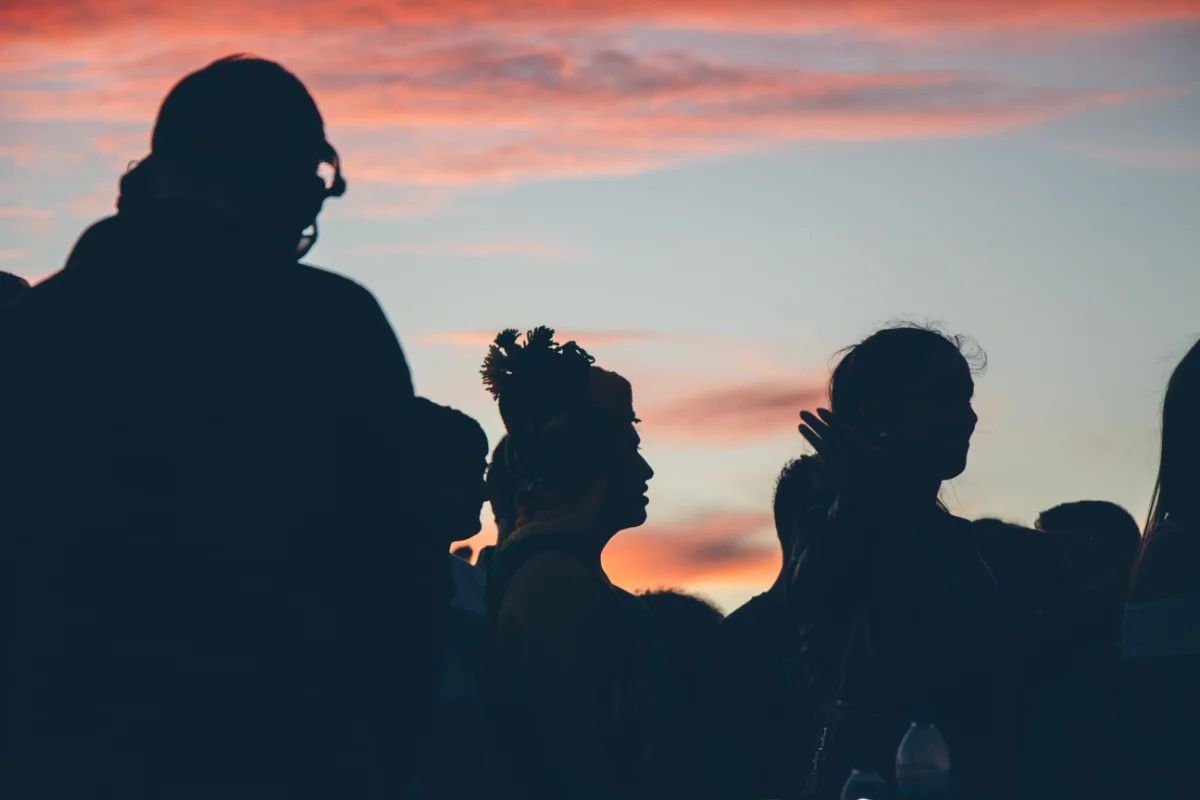
Real output, trimmed to the Summary and Composition sections:
## Summary
This photo captures a group of people silhouetted against a colorful sunset sky. The individuals appear to be standing closely together in a crowd, likely at an outdoor event.

## Composition
The composition uses a low-angle perspective, focusing on the dark profiles of the people arranged in a horizontal line. The frame is densely packed with the subjects, and the viewer's eye is drawn first to the contrast between the dark figures and the bright, saturated sunset colors behind them.
This is the clearest failure. The model cannot say how many people are there or what the event is. It calls the frame 'densely packed' when the crowd fills the lower half and the sky fills the rest. It also guesses 'small containers or bottles' from a few light shapes at the bottom.
A same-settings re-run on 2026-11-16 captured the bottle guess the first trim cut:
## Other objects
The background consists of clouds illuminated by sunset colors, transitioning from light blue to warm orange and pink hues. There are subtle, blurry shapes at the bottom center that resemble small containers or bottles.
5. Close-up
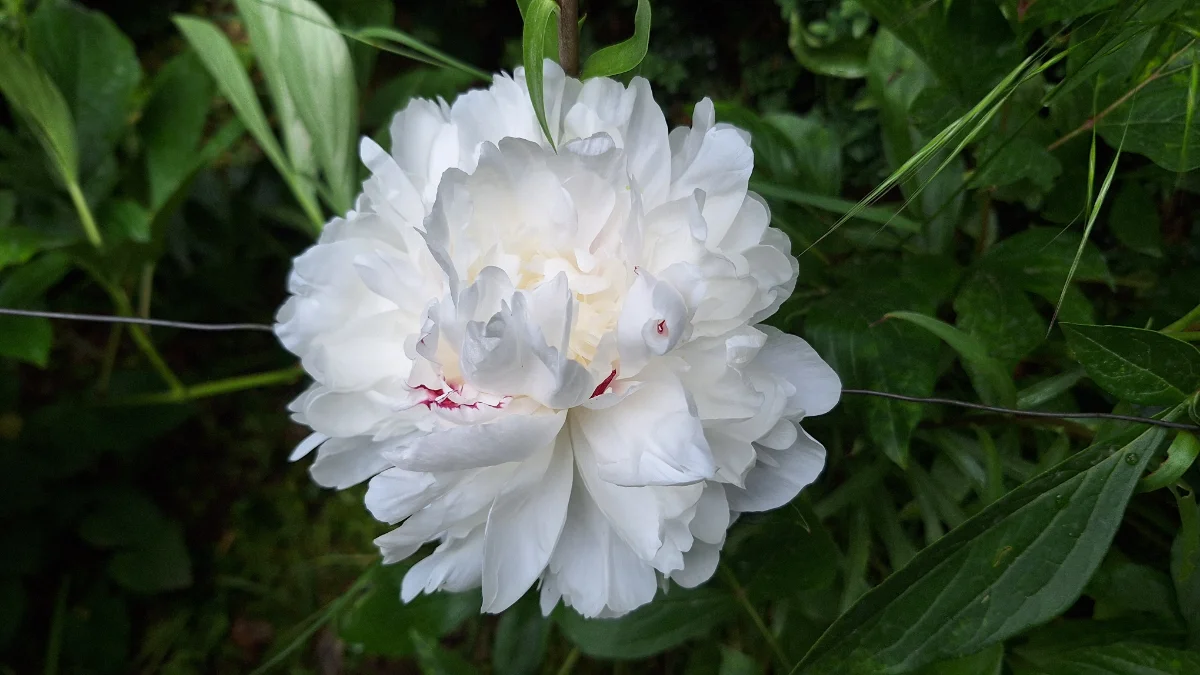
Real output, trimmed to the Summary and Photo quality sections:
## Summary
This photo features a large, full-bloomed white peony flower set against a backdrop of dense green foliage. The petals show intricate, ruffled layers with subtle hints of red near the center.

## Photo quality notes
The image is sharp and well-exposed, with the depth of field effectively blurring the background to isolate the flower. There is minimal noise, and the lighting is balanced.
Accurate: the white petals, the red marks near the center, the blurred green background, and the thin wire that crosses the frame. The model noticed the wire, which is easy to miss.
6. Diagram
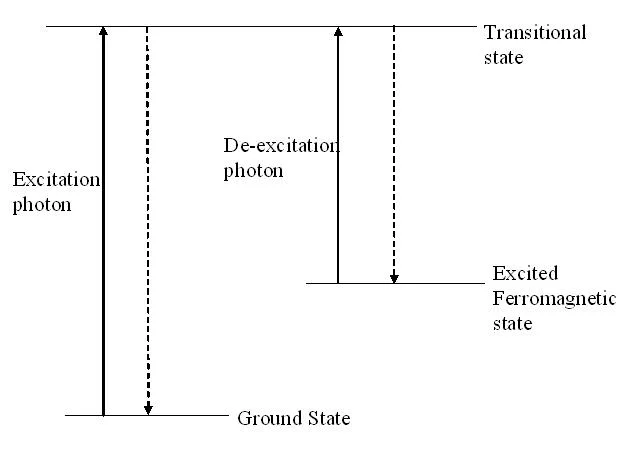
Real output, trimmed to the Summary and Text visible sections:
## Summary
This image is a scientific diagram illustrating energy transitions between three distinct states. It uses horizontal lines and vertical arrows to represent the movement of particles or energy levels.

## Text visible in the image
"Transitional state", "Excitation photon", "De-excitation photon", "Excited Ferromagnetic state", "Ground State".
It read every label correctly and described the arrows. A photographed diagram with glare or a skew would be harder. This file is a clean scan.
Where it failed
- The crowd count and the event. The output says 'a group of people' and 'likely at an outdoor event'. It cannot count the people or name the event. It also calls the frame 'densely packed' when the crowd fills the lower half.
- The sign's position. The output says the post sits 'behind' the fence. The sign and post are in front of the fence. You can check that in one glance.
- The bottle guess. A few light shapes at the bottom of the crowd photo became 'small containers or bottles'. The model hedges with 'resemble', which is a sign it is guessing.
What this means for a result
The model is good at describing what is large and clear: a tower, a flower, a diagram, a sign. It is weak at counts, small text, spatial relations, and anything outside the frame.
The analyzer caps the long edge at 1536 px before sending, so a 4000 px original loses detail first. Fine print can disappear before the model sees it. It also does not read EXIF; use the EXIF Viewer for camera and GPS tags.
For alt text, use the Alt Text Generator. It has separate modes and returns plain text, HTML, and Markdown. Read the result before you publish it, because the model cannot see the page around the image.
Tested on
2026-11-16 against the production AI Image Analyzer, with the repository at commit c36e31f. Six requests in Ask mode with an empty question box. The blur and crowd photos were run again on the same day at the same settings against production at a7eb773, to capture the sections the first trim cut. The outputs are the model's text, trimmed only where marked.